
Second step: a new password, shown only on your very first GoExch9 sign-in.
GoExch9 Login — Two Boxes, a Day-One Password Change and No Email Reset
Two boxes and one button. Below is what goes in each box, what changes the very first time, and the fix for every GoExch9 login error members actually send to the desk.
A GoExch9 login needs a username and a password, both issued by the desk. Open your GoExch9 address, type them into the two fields and press Login. There is no email, no OTP and no sign-up form. A first sign-in adds one step, where GoExch9 asks you to replace the starting password.
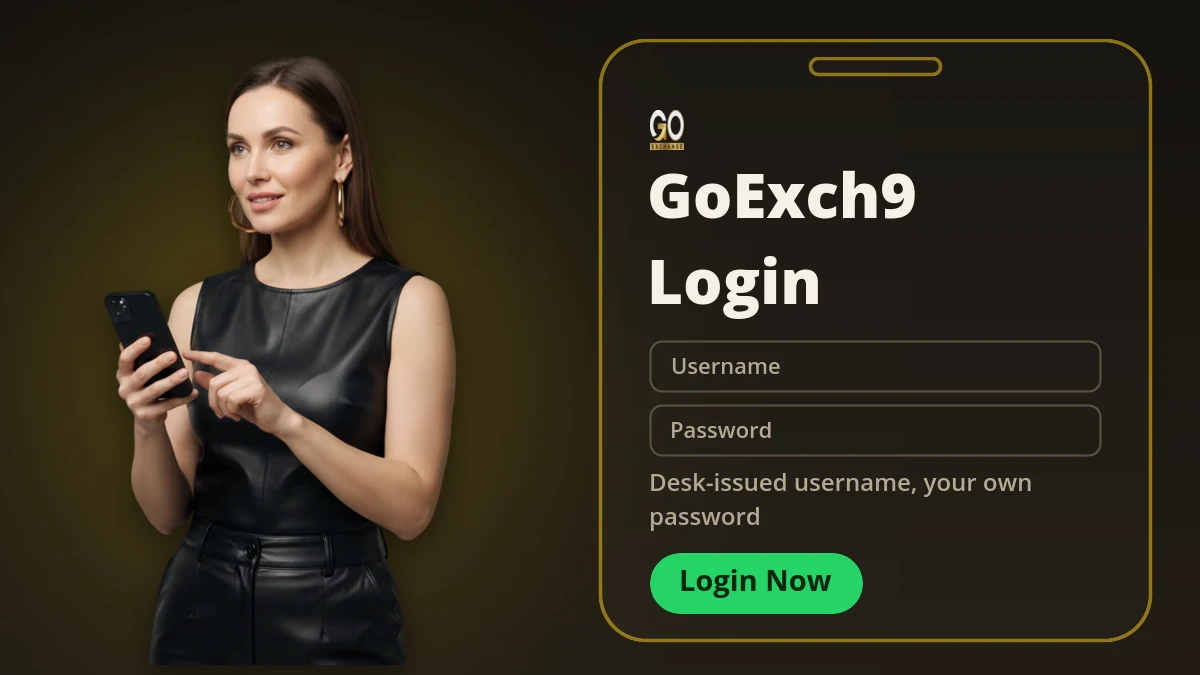
How to do a GoExch9 login in four steps
People expect a signup screen and there isn't one. GoExch9 does not let anyone create their own account, so the login card carries nothing except the two boxes and the buttons under them. Your details reach you from the desk over chat, and those are what you type.
- Open your GoExch9 address
Type it into the browser bar instead of trusting an old bookmark. On a normal connection the GoExch9 card appears within a second or two.
- Type the username exactly as sent
GoExch9 usernames are case sensitive. If the desk sent Rk_goex21, then rk_goex21 is a different account as far as the sportsbook is concerned.
- Type the password by hand
Copy and paste is where most failures start. A chat app happily copies the space after the last character, and GoExch9 counts that space as part of the password.
- Press Login, then set your own password
On a first GoExch9 sign-in no market opens until the starting password is replaced. Pick one you have not used on any other site.
A habit worth keeping: the desk sends your GoExch9 username and password in one message. Write them down, then delete that chat message, because group chats get forwarded far more often than anyone plans.
What the GoExch9 login card shows before you type
Knowing the card by sight saves a lot of second-guessing. A genuine GoExch9 card is plain, and everything on it has one job.
GoExch9 now shows this wordmark at the top of the card. Same brand, same accounts, new logo.
Takes the GoExch9 username exactly as the desk typed it, capitals included.
The temporary password on day one, your own password every day after that.
Signs a live GoExch9 ID in and loads balance, exposure and the cricket list.
For a GoExch9 demo ID with practice credit instead of real money.
A short legal note at the bottom of the card. Nothing to tick, nothing to solve.
If a page calling itself GoExch9 asks for your phone OTP, an email address or an app download before these fields appear, close it and ask the desk for the right address. The real GoExch9 card never asks for any of that.
Your first GoExch9 login asks for one extra step
The first time is the only time GoExch9 wants anything extra. You sign in with the temporary password, a change-password box slides in front of everything, and nothing else loads untill you clear it. Some members find that irritating and try refreshing the page to get past it. Refreshing just puts the same box back.
Choose a password you can remember without writing down. A GoExch9 account has no recovery email, which leaves the desk as your only reset route, and every reset costs you a message and a few minutes of waiting. Do it once, and do it properly.
After that the GoExch9 account behaves normally. Balance sits top right. Cricket sits at the top of the left column. Exposure changes the moment a bet is matched.
Five GoExch9 Login Error Messages and What Clears Each
Nearly every GoExch9 login complaint the desk receives falls into one of five buckets. The table runs in the order I would work through them, quickest check first.
| What the card says | What it usually means | What fixes it |
|---|---|---|
| Invalid username or password | A capital letter is off, or a space came along with a pasted password | Retype both GoExch9 fields by hand, slowly, then submit once |
| Card stays blank | The GoExch9 address you saved has been blocked or retired | Ask the desk for the current address and open that one |
| Session expired | The same GoExch9 ID signed in on another device | Sign out there first, then sign in again here |
| Account inactive | The desk paused the ID, usually over a pending settlement | Message the desk with your GoExch9 username; only they can lift it |
| Spins without loading | The connection dropped between you and the GoExch9 sportsbook | Switch mobile data to wifi or back, then reload once |
Three failed attempts do not lock a GoExch9 account, because there is no attempt counter at all. If the card keeps refusing you after careful retyping, the cause sits at the desk's end, not yours, and one message with your username sorts it out faster than a tenth try.
Forgot the GoExch9 login password?
There is no reset link on the GoExch9 login card. Adding one would not help anyway, since the account has no email address to send a link to. So the route is manual: message the desk, give your GoExch9 username, and ask for a reset.
They issue a fresh temporary password. You sign in with it and GoExch9 makes you change it straight away, exactly like day one. Turnaround is normally a few minutes, a bit longer on a busy match night.
What the desk will not do is tell you the old password. They cannot see it. They can only replace it, which is the right way round.
GoExch9 login on a phone or a home-screen shortcut
Most GoExch9 members never open a laptop. The sportsbook is built mobile first, so the login card is the same card, only narrower, with the two fields stacked one above the other.
Two things go wrong on phones more than anywhere else. The browser suggests a saved password from some other site and people accept it without looking. And the keyboard capitalises the first letter on its own, which breaks any GoExch9 username that starts in lowercase. Check the field before you press Login.
There is no GoExch9 app in the Play Store or the App Store. If you added an icon to your home screen, it opens this same login card inside your browser, with the same behaviour and the same one-session rule.
Why a GoExch9 login keeps dropping you out
This one confuses people, so here it is straight: a GoExch9 ID holds one live session. Not one per device. One.
Sign in on your phone while the same GoExch9 ID is open on a laptop, and the laptop drops. Sign back in on the laptop and the phone drops. Two people sharing a single ID will bounce each other out all evening, and both of them will message the desk convinced that GoExch9 is broken when the account is doing exactly what it was built to do.
Long idle gaps close a session too. Leave GoExch9 open overnight and you will wake up to the login card. Thats normal.
GoExch9 login with a demo ID
The second button on the card, Login with demo ID, is for members holding a GoExch9 demo ID. The desk issues those on request, with practice credit loaded instead of real money.
A GoExch9 demo login opens the same cricket list, the same match odds and fancy lines and the same casino tables as a live account. What it cannot do is withdraw. When you are ready for real balance, ask the desk for a live GoExch9 ID; the GoExch9 ID page covers that switch, and members typing the address directly can follow the GoExch9 com login steps.
What Members Ask the GoExch9 Desk About Signing In
How do I do a GoExch9 login?
Open your GoExch9 address, type the username and password the desk issued into the two fields, and press Login. There is no email field, no OTP and no registration form. A first sign-in adds one extra step, where GoExch9 asks you to replace the starting password.
Why is my GoExch9 login showing invalid username or password?
Almost always a capital letter or a copied space. GoExch9 usernames are case sensitive, so type both fields by hand instead of pasting them. If three careful attempts still fail, the ID may be paused for settlement and only the desk can lift that.
What should I do if I forgot my GoExch9 password?
There is no self-service reset link, because a GoExch9 account has no email attached to it. Message the desk with your username and ask for a reset. They issue a fresh temporary password, and GoExch9 makes you change it on the next sign-in.
Why does GoExch9 log me out so quickly?
GoExch9 ends a session when the same ID signs in somewhere else, so a second phone or a tab left open on another laptop will keep knocking you out. Sign out of the other device first. Idle sessions also close on their own after a long gap.
Can I use the same GoExch9 login on mobile and laptop?
Yes, the same GoExch9 username works on any browser and any device, but only one at a time. A GoExch9 ID is one account rather than one device, so the newest sign-in wins and the older session drops out without warning.
Is the GoExch9 login page different from the app?
No. GoExch9 has no store app, so the home screen icon people call the app is a shortcut to the same login page in your browser. The two fields, the password rules and the session behaviour are identical either way.
Why is my GoExch9 login page blank or stuck loading?
A blank GoExch9 login card usually means the saved address has been blocked or retired rather than the account being broken. Ask the desk for the current address and open it fresh. Switching between mobile data and wifi clears most of the rest.
Is goexch login the same as GoExch9 login?
Yes. GoExch is the short name people type for GoExch9, and both searches end at the same two-field card. One username and one password work whichever name you used, and the account now shows the OExch9 wordmark on that card.
Can I log in to GoExch9 with a demo ID?
Yes. Ask the desk for a GoExch9 demo ID, then use the Login with demo ID button on the card. It opens the same markets with practice credit instead of real money, and nothing won on a demo balance can be withdrawn.
No GoExch9 Username Yet? The Desk Issues One Fast
The login card does nothing without a username, and the GoExch9 desk hands them out in a few minutes. A first name and a phone number is the whole request.
Get a GoExch9 IDGoExch9 Login Checklist Across Every Name and Address
A GoExch9 login works the same whichever of the brand's names or addresses brought you here, and each line below matches a search that ends at this one card.
- goexch9 login and goexch login lead to one card with a username and a password, both issued by the desk; go exchange 9 and goexch 9 are other spellings of the same sportsbook, which now carries the OExch9 wordmark.
- goexch9 com login is what members type when they open goexch9.com, https://goexch9.com or www.goexch9.com, and goexch 9.com or "go exchange 9 com" are simply other ways of writing that address.
- The goexch9.com login password is the one you set on day one, and the desk can reset it but never read it.
- A goexch9 id login works as soon as the ID is issued; a goexch9 new id or a goexch9 sign up is a chat request to the desk, not a form.
- The goexch9 app login is the home-screen shortcut to this card, and no store listing sits behind a goexch9 com download or goexch9 app download apk search.
- goexch9 admin, goexch9 admin login and goexch9 com admin describe the agent side, which refuses member usernames.
- When goexch9.com is blocked, the desk sends another address such as goexch9.in or goexch.com, and the same goexch9 id signs in there.
- The goexch9 whatsapp number and goexch9 customer care number are both +91 81097 11726, the chat for resets and for how to withdraw from GoExch9.
GoExch9 Login Searches Close to This One
- goexch9 login
- goexch login
- goexch9 com login
- goexch9 id login
- goexch9 login kaise kare
- goexch9 login password
- goexch9 demo id login
- goexch9 login not working
- oexch9 login
- goexch9 app login